
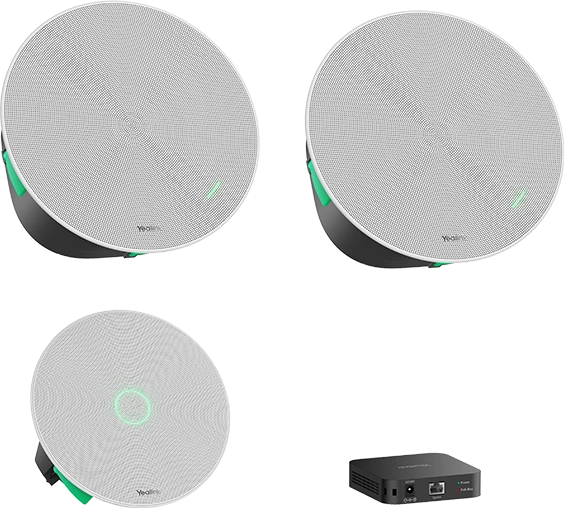
When should you consider CMKit-121?
CMKit-121 simplifies the selection of core ceiling components. It still requires a compatible conferencing system and a design tailored to the room.
Key features
- CM20 ceiling microphone
- Two CS10 speakers
- RCH40 E2 switch according to the current manufacturer list
A closer look
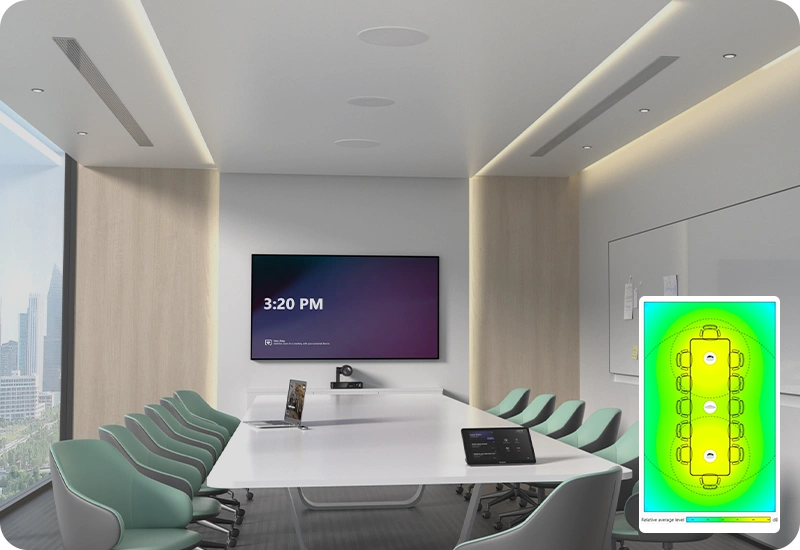
How does it fit into a working room?
- Position the microphone and speakers on the room plan
- Prepare cable routes and switch placement
- Integrate the conferencing system and test acoustics
What needs checking before ordering?
Example room sizes in manufacturer materials are design guidance. Glass surfaces, high ceilings or movable tables may require a different layout.
Documentation and resources
Manufacturer documentation
Specifications, support resources or deployment guidance hosted by Yealink.
Open documentation ↗Related solutions
Source: official Yealink product page. Materials checked on 29 September 2026. Images and videos belong to the manufacturer. Specifications and accessory compatibility are confirmed for the selected configuration.
Plan your room with CMKit-121
Tell us the room dimensions, participant count and meeting platform. You can attach a photo or layout sketch.
Ask about this model